Introduction
refineTriangulation is a triangulation refinement utility capable of refining
surface triangulations based on various criteria. The utility is based on a
longest edge bisection algorithm with neighbor propagation to ensure consistent
refinement. It supports:
-
Component-based refinement: users can specify components to refine along with target edge lengths.
-
Surface solution-based refinement: refinement is guided by a input target surface solution with prescribed edge lengths, where the surface solution is based on the size of the initial triangulation.
-
Volume solution-based refinement: refinement can be performed using a target volume solution generated using
writesolutiontask with the following output variables:cubeRootCellVolume(cube root of cell volume)minEdgeLength(minimum cell edge length)maxEdgeLength(maximum cell edge length)
Example Using Component-Based Refinement
The following YAML input file refines component 2 of a simple triangulation consisting of four triangles across two components.
triangulations:
  -
    sourceFile          : rightTriangle.i.tri
    sourceFileType      : tri
    outBaseName         : refinedRightTriangle
    outFileType         : tecplot
    outputDir           : ./refinedRightTriangle
    writeFrequency      : 1
    maxRefineIterations : -1
    refineRegions:
      -
        components : [2]
        targetEdgeLength : 0.001
This command runs the refineTriangulation utility using the YAML input file.
The output specifies how the number of triangles and vertices increase as successive refinement iterations are performed.
----------------------------------------------
|    Global |    Local |Number of |Number of |
| Iteration |Iteration |Triangles | Vertices |
----------------------------------------------
          0          0          4          6
          1          1          9          9
          2          2         13         12
          3          3         27         20
          4          4         41         29
          5          5         75         47
          6          6        121         73
          7          7        219        123
          8          8        377        207
          9          9        699        369
         10         10       1273        665
         11         11       2427       1243
         12         12       4601       2347
         13         13       8955       4525
         14         14      17401       8781
         15         15      34299      17231
         16         16      67577      33935
         17         17     134139      67217
         18         18     266233     133393
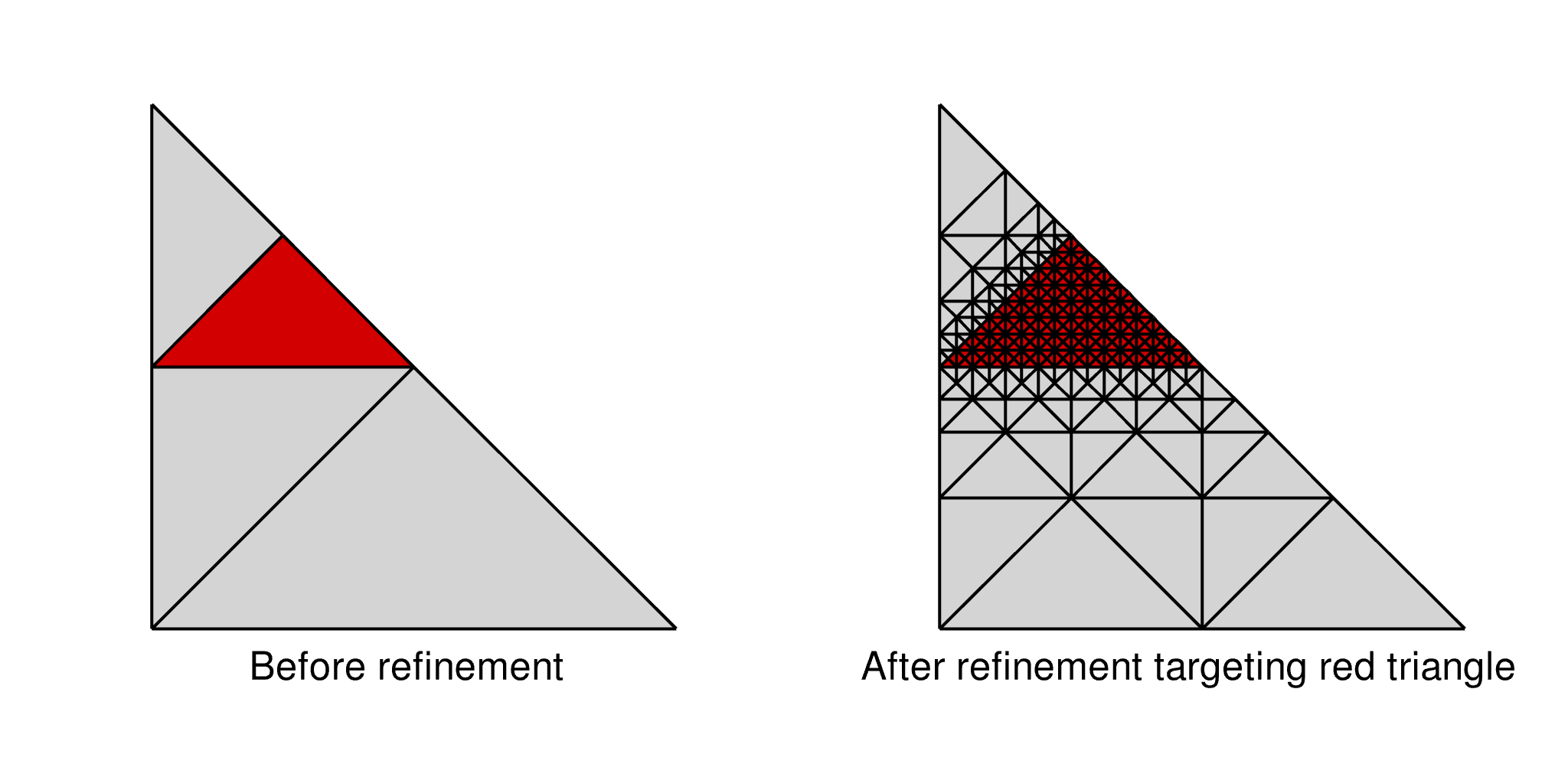
This image shows the refinement pattern for component 2 of the simple
triangulation, demonstrating how the mesh is locally refined where specified and
propagated to neighbor triangles to ensure consistent refinement.
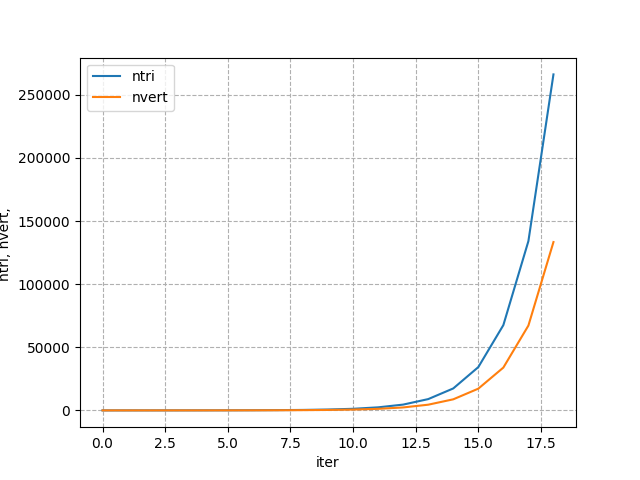
The output can also be monitored using the plotHist tool using the following command.
This image shows the output from plotHist.